 BuildBench
Keep the big picture in view.
Find your projects and workspaces from the dashboard, then pick up the work you want to focus on.
Your workspaceReady for your next idea
BuildBench for desktop
Get BuildBench on your desktop.
Choose your platform and get started.
Windows release v0.1.0 · x64 installer
Prefer to stay in your browser?
Continue on Web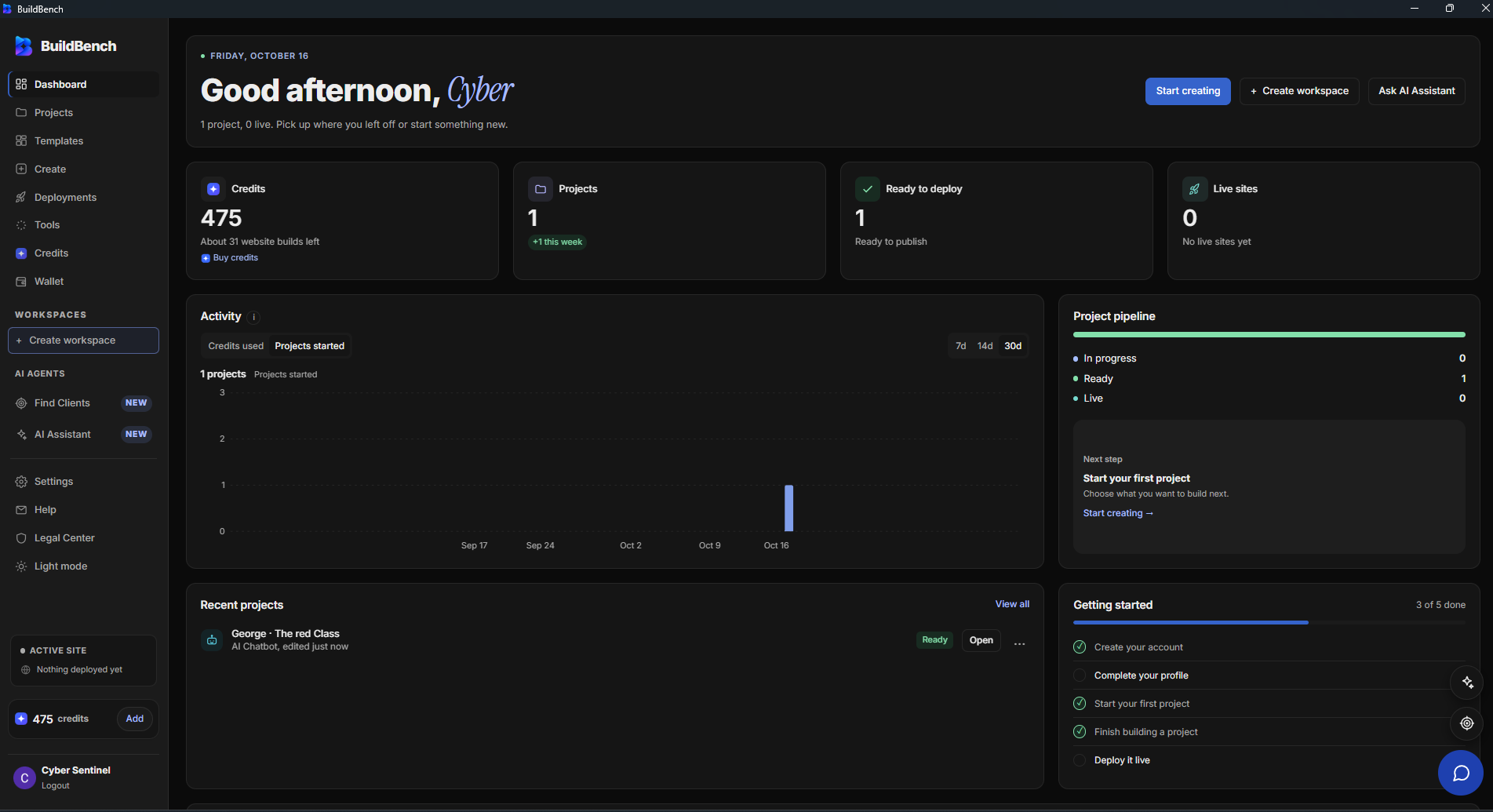
A place for your next idea
Open BuildBench from your desktop and keep your projects, tools, and activity together.
Find your projects and workspaces from the dashboard, then pick up the work you want to focus on.
Explore BuildBench’s creation tools and templates when you are ready to make something new.
Keep an eye on project activity, credit usage, and your deployment pipeline from your dashboard.
Choose your platform
Available for Windows and macOS. Linux users can keep using BuildBench on the web.
From download to desktop
A familiar workspace in its own window. Here’s how to get started on Windows or macOS.
Choose your platform above. Windows downloads an EXE; macOS downloads a universal DMG.
On Windows, run the installer. On Mac, open the DMG and drag BuildBench into Applications, then launch it.
Connect to the internet, sign in, and open your workspace or start a new project.
A few things to know
A little clarity before the download.
Your next project can wait a moment.
Yes. The desktop app loads BuildBench’s online workspace, so you need an internet connection to sign in and use it.
Yes. Sign in with the account you use on BuildBench’s web app to access your workspace.
Windows x64 and macOS are available. The universal Mac installer supports Apple Silicon and Intel Macs. Linux builds are not available yet. You can use BuildBench on the web in the meantime.
This Mac release is not notarized by Apple. macOS may block it or show an unverified-developer warning. If you prefer, use BuildBench on the web instead.
Absolutely. The desktop download is optional. Choose Continue on Web above whenever you prefer to use your browser.
Download for Windows or Mac, or keep building in your browser.